

Roadmaps & Release Notes
March 27, 2026
Ally 2.18 Release Notes

# Ally
# Release Notes
March 26th, 2026

Katie Grennell, PhD.
Ally 2.18 Release to Product: March 26th, 2026
New Library Reference Admin Feature Flag Now Available
As part of our continued effort to provide more granular levels of control for administrators looking to manage the PDF remediation experience for Instructors, a new feature flag is available in the Ally Configuration options that allows the Library Reference workflow to be turned off.
Administrators can now turn off the Library Reference feature to remove the instructor's ability to add Library References to PDFs when the original file is unavailable while working through various PDF-specific issues. This additional layer of control will help align this feature with institutional preferences and processes and provides additional flexibility when determining how best to manage fixing PDFs at scale.
Image 1: New Feature Flag within the Ally Configuration Options
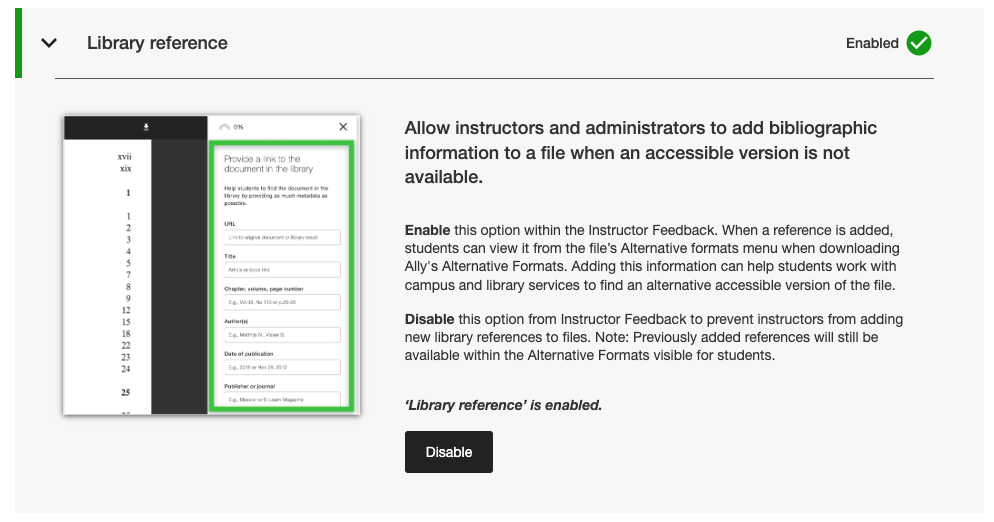
Administrators can find this new feature flag within the Features tab in the Ally Configuration tool listed under Library reference.
Note
Library References will remain turned on by default with this release. Turning off Library References with this new feature flag will not remove previously added Library References from content and will only prevent new ones being added going forward.
Bug Fixes and Improvements
- Fixed a bug in Canvas that caused the Ally indicators column to disappear from the New Files area when the screen was resized.
- Fixed an accessibility issue in Canvas integrations that prevented correct focus from being applied when using a keyboard to navigate Ally accessibility score indicators within Canvas Pages.
- Fixed a broken web link in the Ally Configuration settings for the AI Alt Text Assistant Terms of Use.
- Migrated our SMTP Email services for the backend infrastructure that handles custom help email flows.
Comments (0)
Popular

Popular
Dive in